The Seagate IronWolf edges out the WD Red Plus for most Australian NAS buyers thanks to higher maximum capacity options and IronWolf Health Management on supported QNAP NAS and on Synology models released before the 22-series. Both drive families are purpose-built for NAS environments with CMR recording, 24/7 rated operation, and multi-bay vibration tolerance. The differences between them are real but narrow, and for most home and prosumer NAS setups, either drive will deliver years of reliable service. Where the gap widens is at the Pro tier: the IronWolf Pro offers a stronger feature set with included Rescue Data Recovery Services and IHM integration on supported QNAP NAS and pre-22-series Synology models, while the WD Red Pro counters with lower power draw in dense multi-bay configurations.
In short: For a home or prosumer NAS (1-8 bays), the Seagate IronWolf is the better buy in Australia. It adds IronWolf Health Management on compatible NAS systems and includes three years of Rescue Data Recovery Services. The Seagate IronWolf 4TB has a market price of about $352. The Seagate IronWolf 8TB has a market price of about $635. The WD Red Plus is a fully viable alternative if you find it cheaper or prefer WD: the WD Red Plus 4TB has a market price of about $336 and the WD Red Plus 8TB has a market price of about $594. For business NAS deployments needing 5-year warranty and 550TB/year workload ratings, step up to IronWolf Pro or WD Red Pro. Both standard lines carry 3-year warranties and 180TB/year workload ratings.
Why This Comparison Matters in 2026
NAS hard drive pricing in Australia has shifted significantly since early 2025. A 4TB NAS drive that cost around $149 eighteen months ago now costs far more: the Seagate IronWolf 4TB has a market price of about $352 and the WD Red Plus 4TB has a market price of about $336. Global supply constraints have made choosing the right drive more consequential than ever. When you are buying four drives at once for a 4-bay NAS, the difference between IronWolf and Red Plus is worth understanding properly.
Australian HDD availability can vary by model, capacity, retailer and timing, a pattern that signals just how constrained global supply has become. In this market, both Seagate and Western Digital drives may not always be available at every retailer simultaneously. So understanding the strengths of each family lets you buy with confidence whichever is in stock at the best price. If you are looking for a broader NAS drive buying guide that covers capacities, use cases, and desktop-drive warnings, see our Best NAS Hard Drive Australia guide.
Standard NAS Drives: IronWolf vs Red Plus
The standard tiers, Seagate IronWolf and WD Red Plus, are the drives most Australian home and prosumer NAS buyers should be comparing. Both are designed for always-on NAS operation in enclosures with up to 8 drive bays. They share the same fundamental architecture: CMR (Conventional Magnetic Recording) platters, NAS-optimised firmware, and vibration tolerance for multi-drive environments. The differences come down to integration features, acoustic profile, and pricing at specific capacities.
Head-to-Head Specifications
Seagate IronWolf vs WD Red Plus: Key Specs
 Seagate IronWolf
|
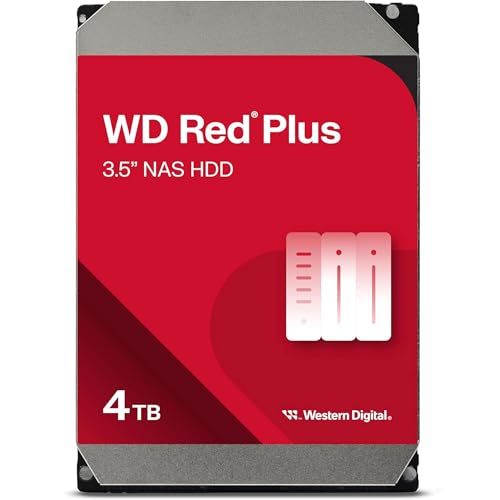 WD Red Plus
|
|
|---|---|---|
| Recording Method | CMR | CMR |
| Interface | SATA III 6Gb/s | SATA III 6Gb/s |
| Form Factor | 3.5" | 3.5" |
| RPM (4TB) | 5400 RPM | 5400 RPM |
| RPM (8TB+) | Both 5400 RPM and 7200 RPM 8TB models, depending on exact SKU | 5640 RPM for current 8TB models; 7200 RPM for 10TB-12TB models |
| Cache | 256 MB (all capacities) | 64 MB to 512 MB depending on model |
| Max Capacity | 16TB | 12TB |
| Workload Rating | 180 TB/year | 180 TB/year |
| MTBF | 1,000,000 hours | 1,000,000 hours |
| Rotational Vibration Sensors | Yes (all capacities) | Not listed in WD's Red Plus datasheet (it lists dual-plane balance control) |
| Health Management | IHM (QNAP; Synology pre-22-series only) | Standard S.M.A.R.T. |
| Data Recovery | 3-year Rescue included | Not included |
| Warranty | 3 years | 3 years |
| Max NAS Bays | 8 bays | 8 bays |
| AU market price, 4TB | about $352 (IronWolf 4TB) | about $336 (Red Plus 4TB) |
| AU market price, 8TB | about $635 (IronWolf 8TB) | about $594 (Red Plus 8TB) |
Where the IronWolf Wins
IronWolf Health Management (IHM) is the biggest differentiator at the standard tier on a NAS that supports it. IHM integrates with QNAP QTS, and with Synology DSM only on Synology models released before the 22-series, to provide Seagate-specific health analysis beyond basic S.M.A.R.T.; support depends on the exact NAS and drive model. It tracks workload, temperature, and vibration patterns to warn you before a drive fails, not just after it starts showing errors. If your Synology or QNAP NAS supports it (see our Synology vs QNAP comparison), IHM integration is genuinely useful. A Synology from the 22-series or later (such as the DS224+, DS423+ or DS925+) does not offer it, so there it is not a reason to pick IronWolf.
Every current IronWolf capacity, from 2TB to 16TB, has rotational vibration (RV) sensors. In a multi-bay NAS where several drives spin simultaneously, vibration from adjacent drives can degrade read/write performance and accelerate wear. Western Digital's current product page says WD Red drives include RV sensors, but its Red Plus datasheet does not list them; it describes enhanced dual-plane balance control instead. In a 2-bay NAS the difference is negligible, but in a 4-bay or larger enclosure, vibration management matters.
Rescue Data Recovery Services come included with every IronWolf drive, with three years of coverage at no extra cost. If a drive fails due to mechanical damage, fire, flood, or accidental deletion, Seagate's recovery lab attempts to retrieve your data. WD does not offer an equivalent included service. This is not a substitute for proper backups (see our 3-2-1 backup guide), but it is a meaningful safety net that adds real value to the IronWolf package.
Higher capacity ceiling. Seagate's current standard IronWolf range goes to 16TB; higher capacities are in the IronWolf Pro family, which goes to 32TB, with the 28TB, 30TB and 32TB models using Seagate's Mozaic HAMR. The current WD Red Plus family tops out at 12TB. If you need maximum storage per bay, particularly for Plex media servers with large libraries, the IronWolf gives you more headroom without stepping up to the Pro tier. At 8TB, IronWolf is available in both 5400RPM and 7200RPM SKUs, while current 8TB Red Plus models are 5640RPM. RPM and rated transfer speed vary at higher capacities, so compare exact model numbers.
Where the WD Red Plus Wins
Lower power consumption. Power consumption varies materially by capacity and SKU; compare the exact model-number datasheets rather than applying one percentage to both families. For a home NAS running 24/7, this translates to a small but real saving on electricity over the life of the drives. Vendor idle figures per drive at 8TB: Seagate rates the 7200 RPM IronWolf ST8000VN004 at 7.8 W and the 5400 RPM ST8000VN002 at 4.0 W, while WD rates the Red Plus WD80EFPX at 3.4 W. In a 4-bay NAS that is about 17.6 W at idle against the ST8000VN004, or about 2.4 W against the ST8000VN002. Not huge, but it adds up over three to five years of continuous operation, and lower power draw means less heat inside the enclosure.
Quieter operation. Acoustic ratings vary by SKU. At 8TB, WD rates the Red Plus WD80EFPX at 24 dBA idle and 28 dBA seek, 4 dBA quieter than the 7200 RPM IronWolf ST8000VN004 (28 dBA idle, 32 dBA seek). If your NAS sits in a living room, bedroom, or home office where ambient noise matters, the 8TB Red Plus is the quieter choice against that drive, and the advantage becomes more pronounced in multi-bay setups where drive noise stacks. The lower 5640 RPM spindle speed of the WD80EFPX (versus 7200 RPM on the ST8000VN004) is the primary reason. The gap does not hold across the range: the 5400 RPM IronWolf ST8000VN002 is rated at 25 dBA idle and 26 dBA seek, and at 4TB the IronWolf ST4000VN006 (23 dBA idle, 25 dBA seek) is as quiet as the WD40EFPX (23 dBA idle, 27 dBA seek).
Pricing at some capacities. The two lines sit close together on price at the same capacity, and which one is cheaper moves with retailer sales and Seagate promotions. The WD Red Plus 4TB has a market price of about $336. The IronWolf 4TB has a market price of about $352. The WD Red Plus 8TB has a market price of about $594. The IronWolf 8TB has a market price of about $635. The WD Red Plus 12TB has a market price of about $889. The IronWolf 12TB has a market price of about $920. Check current pricing at retailers like Scorptec and PLE before deciding.
Pro NAS Drives: IronWolf Pro vs Red Pro
The Pro tier is where both manufacturers target small business, enterprise NAS, and heavy workload users. If you are deploying a NAS in a small business environment, running a production Plex server, or using more than 8 drive bays, the Pro drives are the correct choice. The step up from standard to Pro brings meaningful improvements in warranty, workload rating, and build quality.
Seagate IronWolf Pro vs WD Red Pro: Key Specs
| Seagate IronWolf Pro |
 WD Red Pro
|
|
|---|---|---|
| Recording Method | CMR | CMR |
| RPM | 7200 RPM | 7200 RPM |
| Cache | 256 MB to 512 MB depending on capacity | 64 MB to 512 MB depending on capacity |
| Max Capacity | 32TB | 26TB |
| Workload Rating | 550 TB/year | 550 TB/year |
| MTBF | 2.0M to 2.5M hours, depending on capacity | 2.0M to 2.5M hours, depending on capacity |
| Rotational Vibration Sensors | Yes | Yes |
| Health Management | IHM (QNAP; Synology pre-22-series only) | NASware |
| Data Recovery | 3-year Rescue included | Not included |
| Warranty | 5 years | 5 years |
| Max NAS Bays | Unlimited | Unlimited |
| Power, 8TB (vendor datasheet) | ST8000NT001: average operating 10.1 W; idle average 7.8 W; standby and sleep 1.0 W | WD8005FFBX: average read/write 6.9 W; idle 4.9 W; standby/sleep 0.3 W |
At the Pro tier, IronWolf Pro maintains its advantages in included Rescue Data Recovery and in health management integration on QNAP and pre-22-series Synology models. Current IronWolf Pro and WD Red Pro MTBF ratings are 2.0M to 2.5M hours, depending on capacity. Seagate uses Mozaic HAMR on the 28TB, 30TB and 32TB IronWolf Pro models, pushing capacities to 32TB per drive; the 2TB to 24TB models do not use HAMR. That density is genuinely useful for businesses that need maximum density in rackmount NAS enclosures.
WD Red Pro fights back with NASware firmware that is well-regarded for RAID compatibility and rebuild stability, power consumption that varies by capacity and exact SKU, and competitive pricing at the 8-16TB capacities that most Australian SMB deployments use. The Red Pro also includes rotational vibration sensors (not listed for the standard Red Plus), closing one of the IronWolf standard line's key advantages.
Which Drive for Which NAS?
The right drive depends on your NAS hardware, workload, and environment. Here is a practical breakdown by use case.
Home NAS (1-2 Bays): File Storage and Backup
For a basic home NAS running file storage, Time Machine backups, or photo sync, either drive is fine. The IronWolf's vibration sensors and IHM integration are less critical in a 1-2 bay enclosure where vibration is minimal. Buy whichever is cheaper at the time. At 4TB, the sweet spot for most home users, the WD Red Plus 4TB has a market price of about $336. The IronWolf 4TB has a market price of about $352. If prices are equal, lean IronWolf for the included Rescue Data Recovery service.
Home/Prosumer NAS (4 Bays): Plex, Surveillance, Heavy Use
In a 4-bay NAS the choice depends on the exact SKU more than the brand. RV sensors are intended to mitigate multi-drive vibration, although the practical benefit depends on the enclosure, drive models and workload. IronWolf Health Management is not a factor on a current Synology such as the DS925+: Synology says IHM is only available on its models released before the 22-series, so the DS925+ uses DSM's standard drive-health facilities with either brand. For Plex users pushing large media files, WD rates the WD80EFPX at up to 215MB/s, Seagate rates the 7200RPM ST8000VN004 at up to 210MB/s, and the 5400RPM ST8000VN002 at up to 202MB/s. Compare the exact 8TB model numbers on price, noise and power rather than buying on brand.
Small Business NAS (4-8+ Bays): Production Workloads
Step up to Pro. Both Pro families carry 5-year warranties and current models are rated up to 550TB/year. They use 7200RPM mechanisms, but some standard IronWolf and Red Plus models also run at 7200RPM. The 5-year warranty aligns with standard business NAS warranty periods. A Synology Plus or XS series NAS typically carries a 3-5 year warranty, and you don't want your drives expiring before the NAS itself. The IronWolf Pro suits businesses on QNAP hardware, or on Synology models released before the 22-series, because IHM integration provides actionable health data through the NAS management interface. The WD Red Pro suits environments where power consumption is a priority, such as a NAS in an open-plan office.
Noise-Sensitive Environments
If your NAS lives in a bedroom, living room, or quiet home office and you are choosing between 8TB drives, the WD Red Plus WD80EFPX is quieter than the 7200 RPM IronWolf ST8000VN004. The 4 dBA advantage (24 vs 28 dBA idle, 28 vs 32 dBA seek) is audible, especially at night or in quiet rooms where a NAS hum becomes the dominant ambient sound. The lower RPM of the WD80EFPX (5640 vs 7200) reduces both noise and vibration. The advantage is model-specific: at 4TB the IronWolf ST4000VN006 is as quiet or quieter than the WD40EFPX, and at 10TB the IronWolf ST10000VN000 (28 dBA idle, 32 dBA seek) is quieter than the WD Red Plus WD101EFBX (34 dBA idle, 38 dBA seek). If quiet operation is your top priority, compare the acoustic ratings of the exact models before you buy.
AU Pricing and Where to Buy
Advertised NAS prices can appear similar across major Australian retailers, but that alone does not establish their margins. The real difference between retailers is what happens when something goes wrong: stock depth, return processes, and technical support capability.
2026 pricing note: NAS HDD pricing has risen unevenly since early 2025, with changes varying materially by model and retailer; use dated, model-specific comparisons rather than a single family-wide percentage. Prices below are approximate and subject to change. Gone are the days of waiting for Black Friday to buy tech. Australian retailers run rolling sale events throughout the year. If you need drives now, buy them now. The price may not be dramatically different in six months, and in 2026, the stock might not be there.
Current AU Price Comparison (Approximate)
IronWolf vs Red Plus: AU Pricing by Capacity
|
Seagate IronWolf
|
WD Red Plus
|
|
|---|---|---|
| 2TB | Price varies; check current retailer listing | about $249 (Red Plus 2TB) |
| 4TB | about $352 (IronWolf 4TB) | about $336 (Red Plus 4TB) |
| 6TB | Price varies; check current retailer listing | about $568 (Red Plus 6TB) |
| 8TB | about $635 (IronWolf 8TB) | about $594 (Red Plus 8TB) |
| 10TB | about $799 (IronWolf 10TB) | about $799 (Red Plus 10TB) |
| 12TB | about $920 (IronWolf 12TB) | about $889 (Red Plus 12TB) |
| 14TB | Not in Seagate's current IronWolf range | Not in WD's current Red Plus range |
| 16TB | about $1,249 (IronWolf 16TB) | N/A (max 12TB) |
For current exact pricing, check Scorptec, PLE, and Centre Com directly. Prices shift weekly as retailers adjust to distributor cost changes and stock availability. Amazon AU listings vary by seller, fulfilment arrangement and price; check the actual seller, product origin and current specialist-retailer pricing before purchase. Warranty handling depends on the actual seller and fulfilment arrangement, but Australian consumer-guarantee rights may apply against an Australian seller and manufacturer RMA options may also be available. For a product that stores your data, the retailer relationship matters when something goes wrong.
If you are buying drives for a business NAS, always request a formal quote from your retailer. For business, education and government purchases, ask for a formal quote rather than paying the listed retail price. Quoted deals routinely include discounts that never appear on the website. This is especially true for multi-drive purchases where you are buying 4, 8, or more drives at once.
The CMR Requirement: Why SMR Drives Have No Place in a NAS
Both the Seagate IronWolf and WD Red Plus use CMR (Conventional Magnetic Recording). CMR is the safer choice for ZFS, RAID rebuild-heavy and sustained-write NAS workloads; device-managed SMR can suffer severe write and rebuild slowdowns. CMR drives write data tracks side by side without overlapping, which means every write operation is independent. SMR (Shingled Magnetic Recording) drives overlap tracks to increase density, which forces a rewrite of adjacent tracks during write operations, causing severe performance degradation during RAID rebuilds, large write bursts, and parity calculations.
WD learned this lesson publicly in 2020 when it was discovered that the original WD Red (non-Plus) line used SMR without clear disclosure. RAID rebuilds that should take hours were taking days. WD kept the WD Red name on its 2TB, 3TB, 4TB and 6TB device-managed SMR models and gave its CMR-based NAS drives a new name, WD Red Plus. In 2026, the base WD Red (SMR) still exists and is sometimes cheaper. Do not buy it for NAS use. Confirm that the exact model is listed by Western Digital as Red Plus and CMR; valid current suffixes include EFPX, EFZZ, EFZX, EFGX and EFBX, depending on capacity and SKU.
Watch out for WD Red (non-Plus) drives. The 2TB to 6TB WD Red models use device-managed SMR. Prefer Red Plus CMR for ZFS, RAID rebuild-heavy or sustained-write workloads; WD positions base Red SMR for lighter SOHO NAS use, but independent RAIDZ testing found severe rebuild slowdowns. Always buy WD Red Plus (model numbers ending in EFPX, EFZZ, EFZX, EFGX or EFBX) or WD Red Pro. Seagate IronWolf drives are all CMR, so there is no gotcha to watch for on the Seagate side.
Warranty and ACL Considerations
Both the standard IronWolf and Red Plus carry 3-year warranties. Both the IronWolf Pro and Red Pro carry 5-year warranties. These warranty periods align with NAS vendor warranty periods. Consumer NAS units typically carry 3-year warranties, while commercial and enterprise models offer 5 years. You generally want your drives covered for at least as long as the NAS itself.
Your first step for a faulty product is usually the retailer that sold it. The ACCC explains your rights under the Australian Consumer Law at accc.gov.au. Separate manufacturer warranty and RMA channels may also be available, but the remedies can differ. Seagate and WD provide direct warranty-claim options, so the process and turnaround can vary depending on whether the claim is handled by the retailer or manufacturer. This is why buying from a specialist Australian retailer such as Scorptec, PLE or DeviceDeal matters more than a small saving at a marketplace seller with no local support infrastructure.
ACL note: Australian Consumer Law protections apply when purchasing from Australian retailers. Your first step for a faulty product is usually the retailer that sold it. The ACCC explains your rights under the Australian Consumer Law at accc.gov.au. Separate manufacturer-warranty or RMA options may also be available.
One advantage the IronWolf holds here is the included 3-year Rescue Data Recovery service. If a drive fails catastrophically, whether from mechanical failure, accidental damage, or even water damage, Seagate's recovery service will attempt to retrieve your data. This does not replace a proper 3-2-1 backup strategy, but it is an additional layer of protection that WD does not offer at the standard tier. For the data-paranoid, this alone can justify choosing IronWolf over Red Plus at the same price.
NBN and Remote Access Considerations
Drive choice matters for NAS performance, but your NAS performance is ultimately bottlenecked by your network, both local and internet. Upload speed depends on the current retail plan and NBN access technology: eligible FTTP/HFC Home Fast services are now 500/50, while services delivering up to about 100Mbps downstream may have roughly 5-40Mbps upstream (roughly 0.6-5 MB/s before protocol overhead). Even the slowest NAS drive sustains well over 100 MB/s sequential reads. This means drive speed is irrelevant for remote access. Your internet upload is the chokepoint.
Where drive speed matters is on your local network. If you are transferring large files over 1GbE or 2.5GbE, compare the rated transfer speed of the exact drive. A higher spindle speed does not guarantee a faster drive: Seagate rates the 7200 RPM IronWolf ST8000VN004 up to 210 MB/s, while WD rates the 5640 RPM Red Plus WD80EFPX up to 215 MB/s; actual sustained performance depends on workload and system configuration. Higher sustained throughput may shorten some rebuilds, which reduces the time your data is vulnerable, but rebuild duration also depends on capacity, RAID layout, NAS implementation, workload and the other drives in the array.
Also worth noting: if your ISP uses CGNAT (Carrier-Grade NAT), unsolicited direct inbound and port-forwarded DDNS access is generally blocked, although relay or VPN-based access may still work. Both Synology and QNAP offer relay services (QuickConnect and myQNAPcloud) to work around CGNAT, but direct connections via DDNS require a public IP address. Check with your ISP before building a NAS setup that depends on remote access.
Desktop Drives in a NAS: Don't Do It
Some buyers consider using cheaper desktop drives, such as Seagate Barracuda or WD Blue, in a NAS to save money. Don't. Desktop drives lack the firmware tuning, vibration tolerance, and error recovery timing that NAS drives are built with. A desktop drive in a RAID array can cause the entire array to degrade when it takes too long to recover from a read error, because the RAID controller interprets the delay as a drive failure.
NAS drives use TLER (Time-Limited Error Recovery) or equivalent technology to report errors back to the RAID controller within a set time window, preventing cascading failures. Desktop drives do not have this. The saving per drive is not worth the risk of losing an entire RAID array. For a detailed breakdown of why NAS-specific drives matter, see our Best NAS Hard Drive Australia guide.
Mixing IronWolf and Red Plus in the Same NAS
You can mix the brands if the exact drives are compatible with the NAS, but mixed models can introduce performance, capacity, thermal and rebuild trade-offs; NAS vendors generally recommend identical drives within a RAID group. Synology SHR and QNAP's RAID implementations support mixed-brand, mixed-capacity configurations. Some NAS administrators deliberately mix brands as a hedge against batch-level manufacturing defects, on the theory that drives from different manufacturers are unlikely to fail simultaneously from the same defect.
If you are adding drives to an existing NAS over time, buying whatever is cheaper or in stock at the moment is a perfectly valid approach. Just ensure all drives are NAS-class (IronWolf or Red Plus, not desktop drives) and ideally the same capacity for maximum usable storage in RAID configurations.
The Verdict: Which Drive Should You Buy?
For most Australian NAS buyers, the Seagate IronWolf is the better default choice. IronWolf Health Management, rotational vibration sensors on all models, included Rescue Data Recovery, and higher maximum capacities give it a feature advantage that the WD Red Plus cannot match at equivalent pricing. Seagate says all IronWolf and IronWolf Pro capacities are IHM-enabled but that NAS vendors vary in compatibility. Synology offers IHM only on models released before the 22-series, so on a current Synology the IronWolf's case rests on the vibration sensors, Rescue Data Recovery and capacity range.
The WD Red Plus suits buyers who prioritise quiet operation, especially if the NAS sits in a bedroom or living room, or who find it meaningfully cheaper than the IronWolf at their target capacity. It is a reliable, well-proven NAS drive that will serve most home setups without issue. For a 4+ bay NAS, compare the exact SKUs, NAS compatibility and available health-management features rather than assuming every Red Plus lacks vibration sensing or every IronWolf/NAS combination supports IHM.
For business deployments, step up to Pro. The IronWolf Pro suits business NAS setups because included Rescue Data Recovery reduces operational risk, with IHM integration on QNAP and on Synology models released before the 22-series. The WD Red Pro suits power-efficient business environments. Both deliver 5-year warranties and 550TB/year workload ratings.
Pros
- IronWolf: IHM integration on QNAP and pre-22-series Synology NAS provides predictive health monitoring
- IronWolf: Rotational vibration sensors on every capacity, intended to help in multi-bay NAS environments
- IronWolf: Included 3-year Rescue Data Recovery service adds a safety net
- IronWolf: Higher max capacity (16TB standard, 32TB Pro) for storage-dense builds
- Red Plus: Power consumption varies by capacity and SKU; compare exact model-number datasheets to estimate running costs and heat
- Red Plus: Some SKUs are quieter than comparable IronWolf models; acoustic ratings vary materially by exact model
- Red Plus: Currently cheaper than IronWolf at 8TB and 12TB in AU
Cons
- IronWolf: The 7200 RPM 8TB ST8000VN004 is louder than the 8TB Red Plus WD80EFPX
- IronWolf: Higher idle power at 8TB, mainly on the 7200 RPM ST8000VN004 (7.8 W vs 3.4 W for the WD80EFPX); the 5400 RPM ST8000VN002 is only 0.6 W higher
- Red Plus: RV sensors not listed in WD's Red Plus datasheet
- Red Plus: No IHM; limited to basic S.M.A.R.T. monitoring
- Red Plus: Max 12TB capacity limits storage-per-bay ceiling
- Red Plus: No included data recovery service
- Both: AU drive prices have risen since early 2025 due to global supply constraints
Two tools that add to this comparison: our HDD vs SSD Running Cost Calculator shows the annual electricity cost difference at AU rates, and our Drive Failure Risk Estimator calculates failure probability by AFR for your drive count.
Use our free NAS Sizing Wizard to work out how many bays and what size drives you need.
See also: our complete Synology NAS Australia guide.
See also: our complete QNAP NAS Australia guide.
Is the Seagate IronWolf better than the WD Red Plus for a Synology NAS?
Not on health monitoring, for a current Synology. Synology says IronWolf Health Management (IHM) is only available on its NAS models released before the 22-series, so a 22-series or later model such as the DS224+, DS423+ or DS925+ monitors either brand with DSM's standard drive-health tools. On those older supported models, IHM integrates directly with Synology DSM to provide predictive drive health analysis, workload tracking, and temperature monitoring beyond what basic S.M.A.R.T. data offers, and Synology lists the specific IronWolf and IronWolf Pro drives it supports. WD Red Plus uses standard S.M.A.R.T. monitoring, which can provide predictive-failure warnings. On a current Synology, compare the exact drives on price, noise and power, and check that the drive suits your NAS model.
Can I use WD Red Plus and Seagate IronWolf drives together in the same NAS?
Yes. Both Synology SHR and standard RAID implementations on QNAP support mixed-brand, mixed-capacity drive configurations. Some NAS users deliberately mix brands to reduce the risk of simultaneous failures from batch-level manufacturing defects. Mixed models can introduce performance, capacity, thermal and rebuild trade-offs, so NAS vendors generally recommend identical drives within a RAID group. Ensure all drives are NAS-class (IronWolf, Red Plus, or their Pro variants) and ideally the same capacity for maximum usable storage in RAID arrays.
Why is the WD Red (non-Plus) cheaper and should I buy it for my NAS?
The WD Red without "Plus" in the name uses SMR (Shingled Magnetic Recording) rather than CMR. SMR drives are cheaper because the recording technology allows higher density per platter, but they perform poorly in NAS RAID environments. During RAID rebuilds or heavy write operations, SMR drives can slow to a crawl because overlapping data tracks force rewrites of adjacent data. WD faced significant backlash in 2020 when this distinction was not clearly disclosed. Prefer WD Red Plus or WD Red Pro, and confirm the exact model number and CMR specification in Western Digital's current datasheet. Never buy the base WD Red for a RAID array.
How long should NAS hard drives last in Australia, and what happens when they fail?
NAS drives are rated for 1,000,000 hours MTBF (mean time between failures), which translates to roughly 114 years of continuous operation. But this is a statistical measure, not a guarantee. Drive life varies widely by model, workload and environment. Large-fleet data suggests failure rates can rise with age after several years, but it does not mean most drives fail within three to five years. Both the IronWolf and Red Plus carry 3-year warranties; the Pro versions carry 5 years. Your first step for a faulty product is usually the retailer that sold it. The ACCC explains your rights under the Australian Consumer Law at accc.gov.au. Separate manufacturer-warranty or RMA pathways may also be available from Seagate or Western Digital. Turnaround varies with the seller or manufacturer process, fault assessment, shipping and replacement-stock availability.
Is it worth buying NAS drives from Amazon AU to save money?
Amazon AU has started holding NAS drive stock directly in 2026, sometimes at 5-15% below specialist retailer pricing. If you are technically confident and have a solid backup strategy, Amazon can be a valid option. However, warranty handling depends on the actual seller and product origin. Australian Consumer Law rights remain available against an Australian seller, and eligible drives may also have manufacturer RMA options. Your first step for a faulty product is usually the retailer that sold it. The ACCC explains your rights under the Australian Consumer Law at accc.gov.au. And if the specific model is out of stock, they will credit you and leave you to source an alternative. Specialist retailers like Scorptec and PLE have distributor relationships that make it far more likely you will get a direct replacement. For drives that store your data, the retailer relationship matters when something goes wrong.
Do I need IronWolf Pro or WD Red Pro, or are the standard versions enough?
For most home NAS setups (1-4 bays, under 180TB of writes per year), the standard IronWolf or Red Plus is sufficient. Step up to Pro if you are running a business NAS, using more than 8 bays, or have workloads exceeding 180TB/year (heavy surveillance recording, database operations, or constant large file transfers). The Pro drives add 5-year warranties (versus 3), workload ratings of up to 550TB/year on current models (versus 180TB), and 7200 RPM across current capacities. For a small business where NAS downtime costs money, the longer warranty alone justifies the price premium. It aligns with the NAS unit's own warranty period and reduces the risk of uncovered drive failures.
Why are NAS hard drive prices so high in Australia in 2026?
NAS hard drive prices in Australia have risen sharply since early 2025. A 4TB IronWolf or Red Plus that cost around $149 now costs far more: the Seagate IronWolf 4TB has a market price of about $352 and the WD Red Plus 4TB has a market price of about $336. This is driven by global supply chain constraints. SSD and RAM price spikes have pushed demand back towards HDDs. Some HDD manufacturers have reported long-term enterprise-customer commitments extending into 2027-2028; that does not establish Australian distributor stock allocations through 2028. Australian and US pricing comparisons can vary with exchange rates, GST, seller identity, freight and fulfilment arrangements. Consumers should shop around in 2026 and be wary of operators holding scarce stock at inflated prices.
Need help choosing the right NAS for your IronWolf or Red Plus drives? Our buying guide covers every Australian use case with live pricing.